You’ve been playing with Swagger and can now see the benefits, and you are planning to use a YAML file, now you would like to display it to the outside work, here is a short article explaining all that is required. This is based on you using Express within Node.js
Once you have installed swagger into your application, using this command:
npm install -g swagger To edit you active YAML file just type to following:
swagger project edit
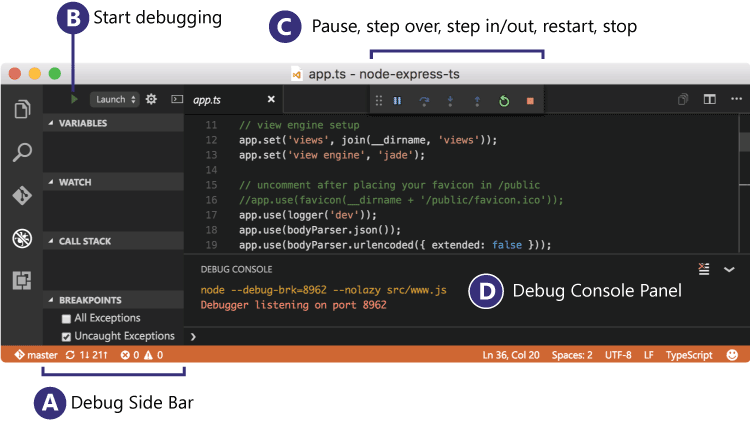
no need for me to explain what to do when Microsoft already has a very good article on debugging within Visual Studio Code
https://code.visualstudio.com/docs/editor/debugging
Before we start let’s just ask a few questions:
Why Typescript? There are two main goals of TypeScript:
Provide an optional type system for JavaScript. Provide planned features from future JavaScript editions to current JavaScript engines
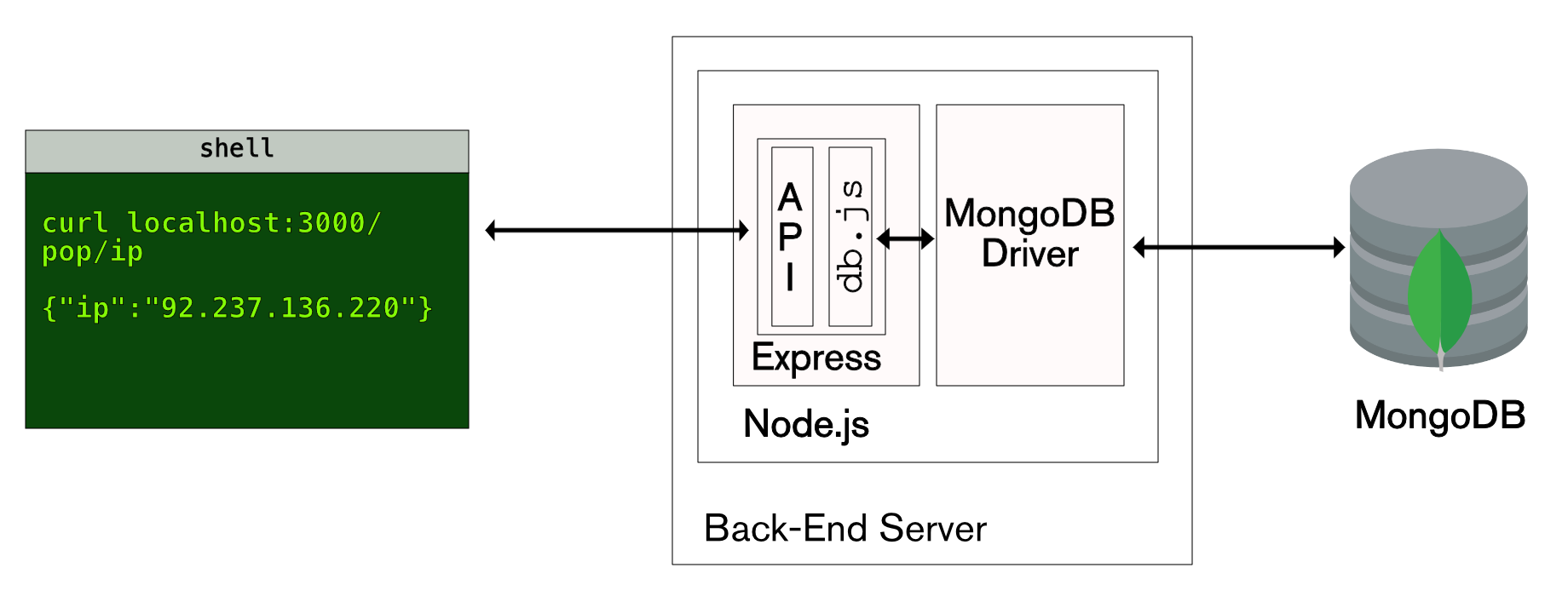
Here is a short article to provide a simple RESTful API using node.js.
Why use node.js? node.js is super fast and handles asynchronous without having to think about coding, it is javascript based and runs on such a small footprint that it is just the way things should be.
A clear rejection is always better than a fake promise, so when dealing with Promises in Node.JS consider the rejection aspect of the promise.
It is quite easy to handle, I prefer the Async method of handing promises, as it is much easier to read and understand.
With Node.js you have the ability to make promises, but what is a promise?
Here is a definition of a node.js promise
‘A promise is an abstraction for asynchronous programming. It’s an object that proxies for the return value or the exception thrown by a function that has to do some asynchronous processing’
Node.js is a very powerful platform for building server-based applications.
I have put together a list of very useful links which help with building and working with Node.js
Download link for installing Node.js, or use Homebrew