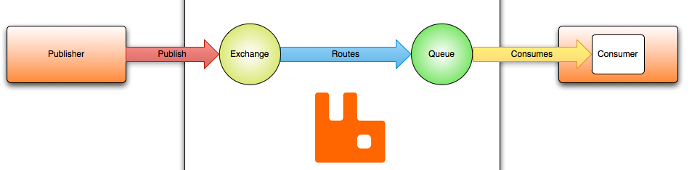
This article will show how to use an Event Bus using RabbitMQ using Work Queues that will be used to distribute time-consuming tasks among multiple workers.
Getting started with an Event Bus is fast and easy. This quick start guide uses RabbitMQ with .NET Core. RabbitMQ must be installed, instructions for installing RabbitMQ are included here.
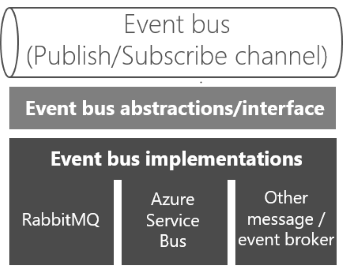
How do you achieve anonymity between publisher and subscriber? An easy way is to let a middleman take care of all the communication. An event bus is one such middleman.
An event bus is typically composed of two parts:
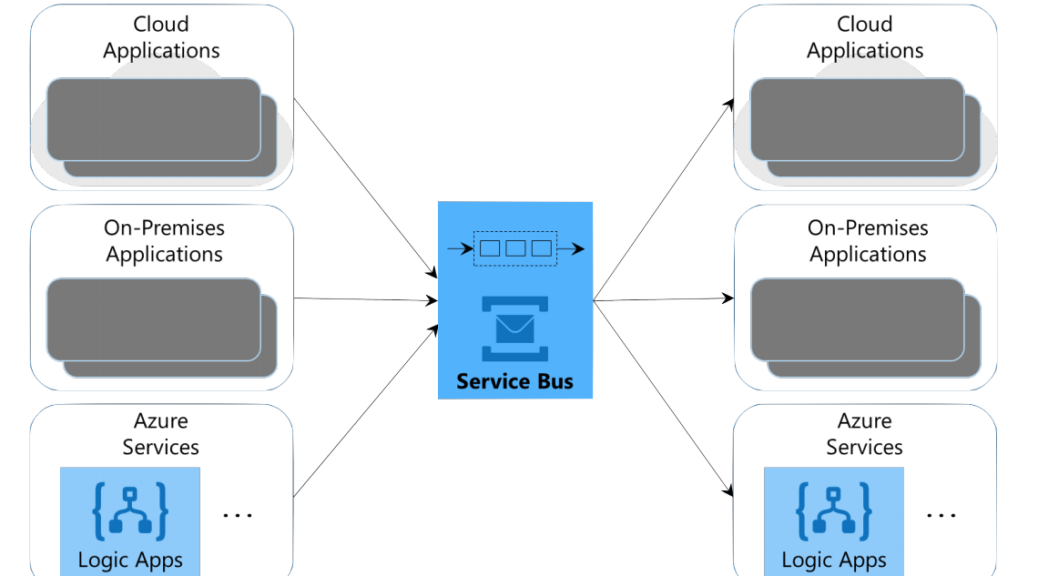
I’m going to take a high-level overview of the Microsoft Azure Service Bus. I’ll discuss briefly the four services that make up the Service Bus. The essence of application integration is software talking to other software. But how should this communication happen? Sometimes, a direct call via API Management is perfect. In other cases, though,
this synchronous style of communication won’t work. What if both applications aren’t available at the same time, for instance? For situations like this, an asynchronous approach is required.
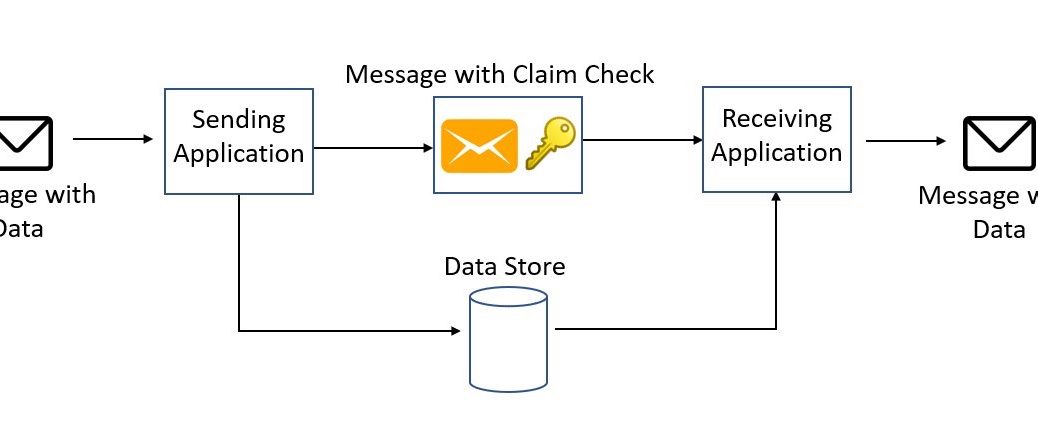
I’ve been using an Event Bus for some time now in the designs of a system, for reason of performance and scalability. There is also an issue with the message size. But it would be best if you were using the Event Bus as a messaging system, not a data transport mechanism.